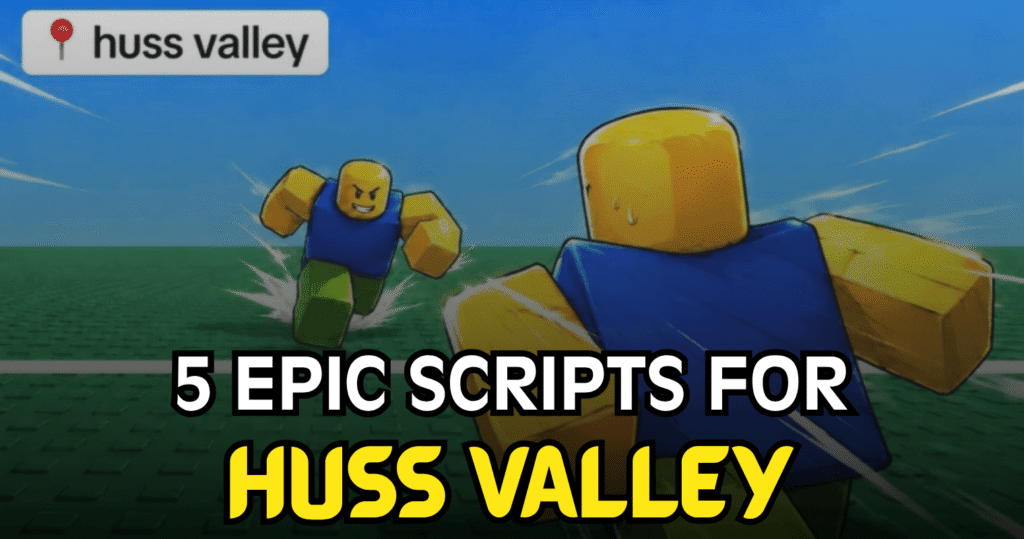
Huss Valley is a fast-paced Roblox game where players can run, catch, rescue, collect gems, use gear, and compete through different rounds. These Epic Huss Valley scripts focus on reducing repetitive actions and adding extra gameplay controls, with options such as Auto Hunt, Auto Catch, Auto Cross, gem collection, movement boosts, ESP, auto voting, and gear management. The feature sets vary from simple hunting tools to large script hubs with many different options.
01. Auto Hunt, Instant Back Magnet & 3D Fly – Hunting and Movement Tools
This compact Lua script is aimed at players who want a straightforward set of movement and hunting features. Its main options are Auto Hunt, Instant Back Magnet, and 3D Fly, making it focused on automated target hunting and easier movement around the map.
| Feature | Purpose |
|---|---|
| Auto Hunt | Automates hunting activities |
| Instant Back Magnet | Helps maintain a position behind targets |
| 3D Fly | Provides three-dimensional flight movement |
loadstring(game:HttpGet("https://gist.githubusercontent.com/raw/89fccbee85b8fda27ff48dfcd16507b8/l_ee19ac.lua", true))()
02. Auto Hunt & Advanced Runner Controls – Auto Dodge, Rescue and Gear
This script offers a much larger set of Huss Valley controls. The Runner section includes Auto Cross, gem collection, rescue options, dodge controls, cloning, and automatic choices. It also adds catcher controls, lobby automation, movement settings, player modifications, Auto Dash, and gear management, giving it a broad range of options.
| Feature Group | Included Options |
|---|---|
| Runner | Auto Cross, Cross Preset, Collect Gems, Auto Rescue, Auto Dodge, Auto Clone, Auto Choice |
| Catcher | Auto Catch, Targeting Mode, Dive Tackle, Predict Movement |
| Catcher Controls | Tackle Aim, Aim Reach, Aim Cone, Aim Lead, Auto Tackle |
| Lobby | Auto Vote, Favorite Maps, Auto Join, Leave AFK, Skip Tutorial |
| Movement | Custom Speed, Tween Speed, Arrival Distance, Height Offset |
| Player Mods | No Dash Cooldown, Noclip, Speed Boost, Speed Multiplier |
| Auto Dash | Auto Dash, Trigger Range, Dash Delay |
| Gear | Auto Self Rescue, Auto Gear Use, Auto Equip Best Gear, Auto Buy Gem Gear |
loadstring(game:HttpGet("https://api.jnkie.com/api/v1/luascripts/public/29db7488e6bd64507fb1a25e9c6373542d0d802ab7ebbde467f3dd36176960fa/download"))()
03. Free Auto Catch & Speed – ESP, Unlock and Player Mods
This is one of the most feature-heavy Huss Valley scripts in the supplied list. In addition to Auto Cross, Auto Catch, Auto Rescue, and movement controls, it includes ESP options, world tracking, identity and progression spoofing, currency options, knife controls, Unlock All, session tools, and popup controls. Its listed features cover many different parts of the game.
| Feature Area | Main Functions |
|---|---|
| Runner | Auto Cross, Collect Gems, Auto Rescue, Auto Dodge, Auto Clone |
| Catcher | Auto Catch, Dive Tackle, Predict Movement |
| Lobby | Auto Vote, Favorite Maps, Auto Join, Skip Tutorial |
| Movement | Custom Speed, Speed settings, Tween movement |
| Player Mods | Noclip, Speed Boost, No Dash Cooldown |
| Auto Dash | Auto Dash and trigger settings |
| Gear | Auto Gear Use, Auto Equip Best Gear, Auto Buy Gem Gear |
| Valley Journey | Auto Claim Journey, Equip Journey Badge |
| Knife Shop | Auto Buy Gem Knives and purchase controls |
| ESP | Roles, names, distance, health and boxes |
| World ESP | Gem ESP, Safe Zone ESP and threat indicators |
| Identity | Name and avatar spoofing options |
| Progression | Level and experience spoofing |
| Statistics | Wins and catches spoofing |
| Currency | Coins and gems spoofing |
| Unlocks | Unlock All |
| Session | Anti AFK and Auto Spectate |
| Popups | Closes selected game popups |
loadstring(game:HttpGet("https://loader.sportsclub.fun/loader.luau"))()
04. Auto Hunt, Skin Changer & Catcher Tools – Complete Runner Setup
This Lua script is designed as a broad gameplay hub with controls for both Runner and Catcher roles. It includes Auto Cross, gem collection, Auto Rescue, Auto Dodge, automatic choices, Catcher targeting, movement customization, player speed options, Auto Dash, and gear management. The supplied listing also mentions keyless and mobile-friendly support.
| Category | Available Features |
|---|---|
| Runner | Auto Cross, Collect Gems, Avoid Gems Near Catchers, Auto Rescue |
| Dodge | Auto Dodge, Dodge Method, Trigger Range, Dash Delay |
| Clone | Auto Clone, Clone Activation, Enemy Range |
| Choices | Auto Choice and Choice Mode |
| Catcher | Auto Catch, Targeting Mode, Dive Tackle |
| Tackle | Tackle Aim, Aim Reach, Aim Cone, Aim Lead |
| Lobby | Auto Vote, Favorite Maps, Auto Join, Skip Tutorial |
| Movement | Movement Presets, Custom Speed, Tween Speed |
| Player Mods | Noclip, Speed, Speed Boost, Instant Acceleration |
| Auto Dash | Auto Dash, Trigger Range, Dash Delay |
| Gear | Auto Self Rescue, Auto Gear Use, Auto Equip Best Gear |
loadstring(game:HttpGet("https://api.jnkie.com/api/v1/luascripts/public/29db7488e6bd64507fb1a25e9c6373542d0d802ab7ebbde467f3dd36176960fa/download"))()
05. Auto All OP – Auto Cross, Gem ESP, Speed & Gear Features
The final script provides another large set of Huss Valley options, with the supplied listing describing it as an Auto All script. It combines runner and catcher functions with movement settings, player modifications, automatic dashing, gear controls, and lobby tools. This makes it a broad option for players looking for many features in one Lua loader.
| Feature | What It Adds |
|---|---|
| Auto Cross | Automates cross-related actions |
| Collect Gems | Helps collect gems |
| Auto Rescue | Automates rescue actions |
| Auto Dodge | Provides automatic dodge controls |
| Auto Catch | Automates catcher actions |
| Auto Vote | Handles voting automatically |
| Custom Speed | Allows custom movement speed |
| No Dash Cooldown | Removes the listed dash cooldown |
| Auto Dash | Automates dash actions |
| Auto Gear Use | Uses gear automatically |
| Gem ESP | Highlights gems |
| Name Spoofer | Provides name spoofing options |
| Unlock All | Lists an unlock-all option |
| Anti AFK | Helps prevent AFK status |
| Auto Spectate | Automates spectating |
| Popup Controls | Closes selected popups |
loadstring(game:HttpGet("https://api.jnkie.com/api/v1/luascripts/public/29db7488e6bd64507fb1a25e9c6373542d0d802ab7ebbde467f3dd36176960fa/download"))()
How to Use These Scripts
- Review the script and its listed features before running anything.
- Keep in mind that the supplied code is mainly a short Lua loader rather than the full feature code.
- The loaders use
loadstringandgame:HttpGetto retrieve additional Lua code from external locations. - Use only a scripting environment that supports the required Lua features and is appropriate for your Roblox setup.
- Test one feature at a time so you can identify problems more easily.
- If a script stops working, check whether Huss Valley has received an update or whether the external loader has changed.
- The supplied listings state that some scripts are keyless and mobile friendly, while others are marked mobile untested, so compatibility can differ.
- Be careful with external loaders because the supplied listings themselves warn that some scripts are not verified and make network requests.
Benefits of using these scripts.
These Huss Valley scripts provide different ways to reduce repetitive gameplay actions. The smaller Auto Hunt script focuses on hunting and movement, while the larger options add Auto Cross, Auto Rescue, Auto Dodge, Auto Catch, gem collection, gear management, and lobby controls. Some also provide ESP, custom movement settings, Anti AFK, Auto Spectate, and additional player options. This range lets players choose a script based on the specific Huss Valley tasks they want to automate or manage.