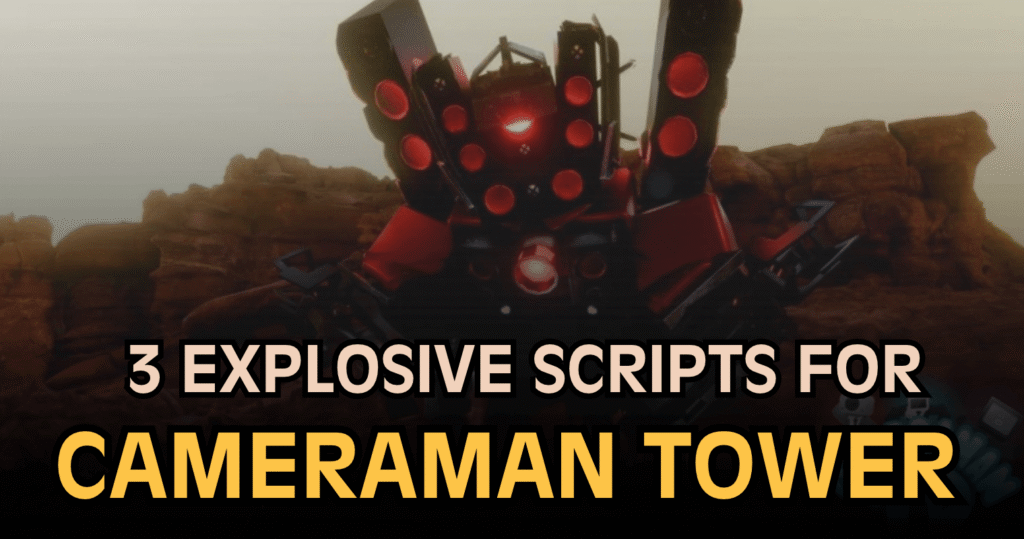
Cameraman Tower Defense is a Roblox tower defense game where players summon units, defend against enemies, and work through waves to progress. These OP Cameraman Tower Defense Scripts offer different tools to automate gameplay, including auto-summoning, wave skipping, automatic upgrades, and macro recording. Some listings also provide additional functions, while each script has its own setup and feature details.
01. Cameraman Tower Defense – Auto Play, Auto Summon & Macro Script
This script provides a range of automation features for players who want to simplify repeated tower defense tasks. It includes automatic joining and starting, unit summoning, difficulty voting, wave skipping, and upgrades. The macro recording and playback options are particularly useful for repeating recorded actions, while FPS boost and anti-AFK features add further options to the listed toolset.
| Feature | Description |
|---|---|
| Auto Join & Start | Automates joining and starting supported matches. |
| Auto Summon x1 / x10 | Supports automatic unit summoning in different quantities. |
| Auto Vote Difficulty | Votes for a difficulty automatically. |
| Auto Skip Waves | Automates supported wave-skipping actions. |
| Auto Play | Handles supported gameplay tasks automatically. |
| Auto Upgrade | Upgrades units automatically. |
| Macro Record & Playback | Records actions and replays them later. |
| Auto Return Lobby | Returns to the lobby automatically. |
| FPS Boost | Offers settings intended to improve performance. |
| Anti-AFK | Attempts to prevent inactivity detection. |
Lua Script:
loadstring(game:HttpGet("https://raw.githubusercontent.com/KeroTwT/Kero-Hub/refs/heads/main/KeroHub"))()02. Cameraman Tower Defense – New Macro Script
This listing presents a compact loader for a Cameraman Tower Defense script advertised as a new macro tool. Unlike the first option, the supplied description does not include a detailed feature list, so its exact functions cannot be confirmed from the provided information alone. Players should review the full source and understand what it does before considering it for testing.
| Detail | Information |
|---|---|
| Game | Cameraman Tower Defense |
| Script Type | Macro-related script listing |
| Key Requirement | Advertised as keyless |
| Mobile Support | Not confirmed by the listing |
| Main Purpose | Exact functions are not specified in the supplied description. |
Lua Script:
loadstring(game:HttpGet("https://vault.pandauth.com/vss/c0381fa2d27321e5"))()03. Cameraman Tower Defense – Dupe & Rollback Script
This listing is described as a dupe and rollback tool, with the creator mentioning paid access and possible item duplication. However, the provided details do not explain which items or game data it affects, and its results cannot be guaranteed. Because tools that claim to duplicate items or roll back progress can carry account and data risks, review the source carefully and avoid sharing account details or paying for unverified promises.
| Detail | Description |
|---|---|
| Advertised Function | Duplication and rollback |
| Access | Described as paid by the listing |
| Feature Details | No complete feature list was provided. |
| Verification | The claimed results have not been independently confirmed. |
| Safety Consideration | Unknown remote code and paid promises may pose risks. |
Lua Script:
loadstring(game:HttpGet("https://raw.githubusercontent.com/iLove-yuri/leeeeesbian/refs/heads/main/homumado.lua"))()How to Use These Scripts
- Open the correct game: Find Cameraman Tower Defense on Roblox and confirm that you are using the intended experience.
- Review the Lua loader: Each code sample downloads and executes code hosted on an external server. The loader itself does not show all the functions that will run.
- Inspect the complete source: Check the downloaded code and its network requests before executing it. Remote files can change after publication.
- Use Roblox Studio for learning: If your goal is to build auto-play or macro features, test your own Lua code in a private experience that you own or have permission to modify.
- Test individual functions: Check unit summoning, upgrades, macros, and match controls separately in an authorized environment.
- Check compatibility: If a feature fails, review error messages and the source instead of repeatedly running unknown code.
- Keep your account secure: Avoid tools that ask for passwords, session cookies, or other sensitive account information. Be especially careful with paid duplication and rollback claims.
Important: These are third-party scripts, not official Roblox features. Keyless or mobile-friendly labels do not guarantee that a script is safe or compatible. Running unauthorized automation may violate game rules, and remote loaders can execute code that changes without warning.
Benefits of using these scripts
The listed Cameraman Tower Defense scripts offer different potential benefits depending on their actual functions. The first option provides the broadest documented feature set, including auto-summoning, automatic upgrades, wave skipping, and macro playback, which may reduce repetitive actions. The second is advertised as a macro tool, although its full capabilities are not specified. The third claims duplication and rollback functions, but these claims are not independently verified and may involve additional risks. Comparing the documented features and inspecting the source helps distinguish clearly described tools from listings with limited information.