


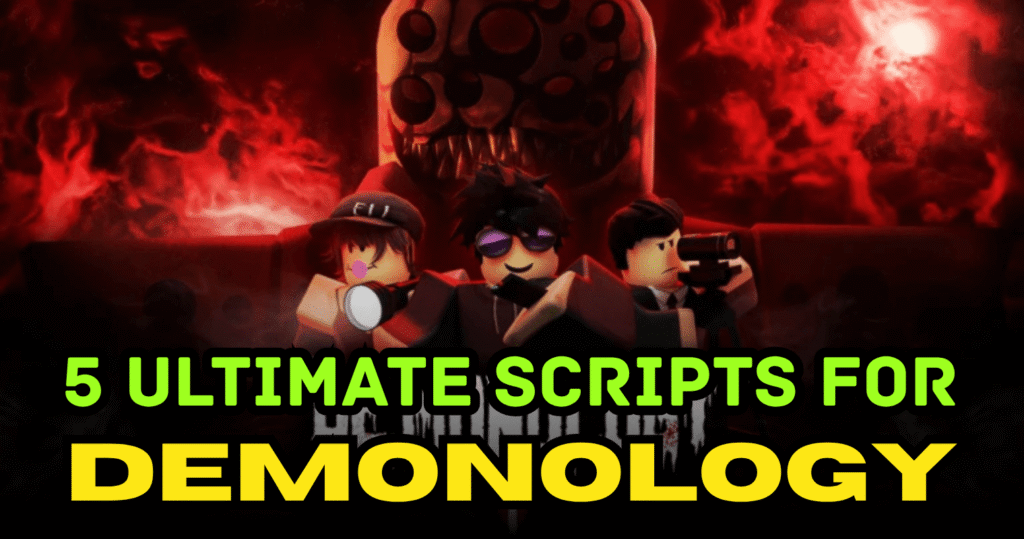
Demonology is a horror investigation Roblox game where players explore haunted locations, gather evidence, and identify dangerous ghosts. Success depends on finding clues quickly while surviving paranormal events. Scripts can improve this experience by revealing ghost data, highlighting items, and making exploration easier. These Ultimate Demonology scripts are designed to help players investigate faster and play with more control.
01. Demonology GUI Script – Ghost Info & ESP System
This script is focused on investigation tools by showing hidden ghost information and highlighting useful objects around the map. It is great for faster clue hunting.
| Feature | Details |
|---|---|
| Items ESP | Shows item locations |
| Ghost ESP | Highlights ghost presence |
| Remove Doors | Easier movement |
| Ghost Info | Shows favorite room |
| Evidence Help | Displays EMF, orbs, prints |
loadstring(game:HttpGet("https://raw.githubusercontent.com/Karag5445/Demonology-Roblox-script/refs/heads/main/Script"))()
02. Blind.cc Script – Full Utility Hub
This script offers a broad utility setup for players who want multiple gameplay enhancements in one place.
| Feature | Details |
|---|---|
| Utility Hub | Multiple functions |
| Fast Access | Quick loading |
| Easy Controls | Simple interface |
| Exploration Help | Better map control |
| Smooth Use | Stable performance |
loadstring(game:HttpGet("https://itsarat.lol/rat/demon"))()
03. Keyless OP Script – Full Bright & Evidence Tools
This script is ideal for players who want visibility upgrades and clue detection without using keys.
| Feature | Details |
|---|---|
| Full Bright | Better visibility |
| Show Temp | Temperature clues |
| ESP Orbs | Orb detection |
| Handprint ESP | Tracks handprints |
| Keyless Access | No key needed |
loadstring(game:HttpGet('https://raw.githubusercontent.com/ducko3555/Hub/heads/main/Demonology%20pro%20-%20open%20source'))()
04. Energy Script – Evidence & Support Tools
This script gives useful support features such as evidence display and extra gameplay assistance for smoother ghost hunts.
| Feature | Details |
|---|---|
| Show Evidences | Displays clues |
| Energy Support | Better endurance |
| Simple Use | Easy setup |
| Quick Run | Fast execution |
| Helpful Tools | Smooth gameplay |
loadstring(game:HttpGet("https://api.junkie-development.de/api/v1/luascripts/public/bc6f1be690bb591aa6e15ec1d4ded2d92dae9c9c8de05b06ef268c2670f7120b/download"))()
05. Pro Evidence UI Script – Advanced Investigation GUI
This script is a polished evidence-focused tool that helps players gather ghost clues faster while improving map awareness.
| Feature | Details |
|---|---|
| Evidence UI | Organized clue display |
| Show Ghost | Reveal ghost data |
| Full Bright | Clear vision |
| TP Hunt | Teleport support |
| Pro Features | Advanced controls |
loadstring(game:HttpGet('https://raw.githubusercontent.com/ducko3555/Hub/heads/main/Demonology%20pro%20-%20open%20source'))()
How to Use These Scripts
- Open Roblox and join Demonology
- Launch your script executor tool
- Copy the script you want to use
- Paste it into the executor panel
- Execute the script inside the game
- Wait for the GUI or tools to load
- Enable the features you need for investigation
Benefits of using these scripts
These Ultimate Demonology scripts help players investigate haunted areas faster by showing ghost clues, item locations, and evidence data. Features like full bright, ESP, and ghost info reduce search time and improve survival during hunts. Players can explore more confidently, gather evidence quickly, and enjoy a smoother paranormal investigation experience.



