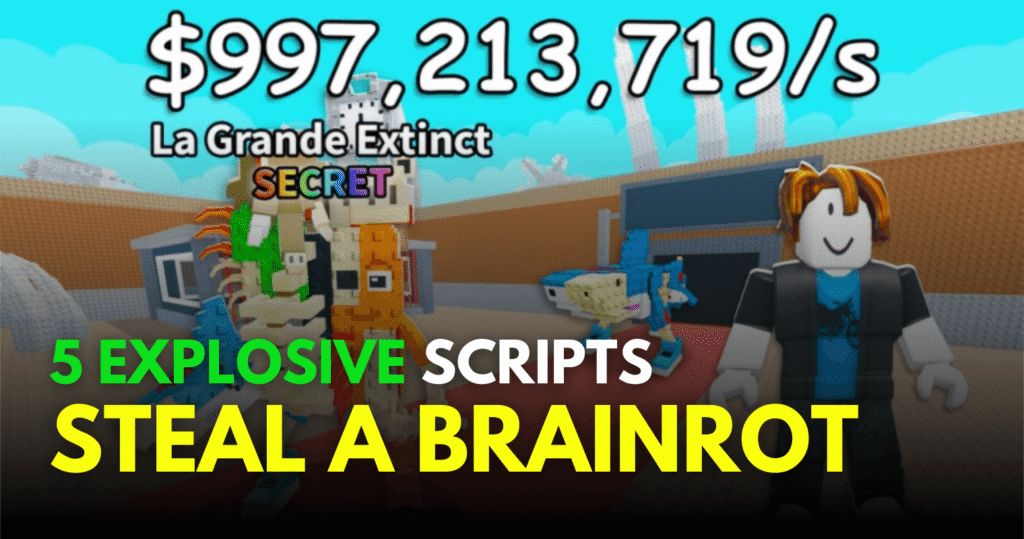


Hack Vault for Brainrots is a fast-paced Roblox experience where progression depends on farming, upgrading, and collecting resources. These Explosive Hack Vault Brainrots Scripts help players automate core gameplay actions like auto farming, cash collection, flying, and upgrading. With these Lua scripts, players can focus less on grinding and more on faster progression and exploration.
01. Auto Collect, Auto Grab Best, Auto Place Best – Lua Script
This script is designed for players who want full automation of brainrot collection and placement. It automatically collects money, grabs the best available brainrots, and places them in optimal positions. It also replaces weaker units when better ones are available, ensuring continuous improvement.
Script Features
| Feature System | Description |
|---|---|
| Auto Collect Money | Gathers cash automatically |
| Auto Grab Best Brainrot | Picks strongest available units |
| Auto Place Best Brainrot | Places units in best slots |
| Auto Replace System | Swaps weaker units automatically |
| Auto Upgrade | Upgrades base and stats |
| Anti AFK | Prevents idle kick |
| World Changer | Changes gameplay environment |
| Mobile Support | Works on supported devices |
loadstring(game:HttpGet("https://pastefy.app/HTfQVsPX/raw"))()
Benefits of using these scripts
This script is helpful for players who want a fully automated base-building experience. It reduces manual effort by handling collection, placement, and upgrades automatically, allowing faster progression even when AFK.
02. Auto Farm, Fly, Speed & More – Lua Script
This Lua script focuses on movement and farming power. It includes auto farming, upgrade systems, and advanced player controls like fly mode, speed sliders, and jump control. It is designed for players who want both mobility and automation.
Script Features
| Included Feature | Function |
|---|---|
| Auto Farm | Automatically farms resources |
| Auto Collect Cash | Collects cash instantly |
| Fly Mode | Enables flying movement |
| Speed Slider | Adjusts movement speed |
| Walk Speed Control | Custom walking speed |
| Jump Power Control | Adjust jump height |
| Infinite Jump | Jump without limits |
| Anti AFK | Prevents idle kick |
| Noclip Mode | Walk through objects |
loadstring(game:HttpGet("https://raw.githubusercontent.com/unrexl/Scripts/refs/heads/main/HackerBrainrot"))()
Benefits of using these scripts
This script improves overall gameplay speed by combining movement control with automation. Fly mode and speed sliders make navigation easier, while auto farming ensures steady resource collection without constant manual effort.
03. OP Script – Auto Farm, Cash Collect & Upgrade Hacking – Lua Script
This script focuses on upgrading and hacking progression inside Hack Vault for Brainrots. It automates farming, upgrading, and hacking systems to help players progress faster in both base and combat systems.
Script Features
| Feature Set | Description |
|---|---|
| Auto Farm | Handles farming automatically |
| Collect Cash | Gathers money instantly |
| Upgrade Base | Improves base level automatically |
| Upgrade Hacking | Boosts hacking strength |
| Fast Progression | Speeds up game advancement |
| Lightweight Script | Simple execution |
| Stable Performance | Smooth running script |
loadstring(game:HttpGet("https://pastebin.com/raw/dizKmgtc"))()
Benefits of using these scripts
This script is best for players who want faster progression in hacking and base upgrades. It reduces repetitive tasks and helps maintain steady growth in resources and power levels during gameplay.
How to Use These Scripts
- Install a trusted Roblox Lua executor on your device.
- Open Roblox and join Hack Vault for Brainrots.
- Wait until the game fully loads.
- Launch your executor tool.
- Copy any script from this article.
- Paste it into the executor panel.
- Click execute to run the script.
- Wait for features or menu to appear.
- Enable the options you want like auto farm or fly.
- Test movement and automation features carefully.
Using updated executors helps reduce errors and improves script stability during gameplay sessions.